Home

Monday, 17 September 2012

How to become a SPPID User_Courses need to take

As a SmartPlant P&ID user, basicly, you need take the following course:

At least, take two of the course.


2.    SmartPlant P&ID course: Creating P&IDs with SmartPlant P&ID - TSPL1002 at Intergraph.

Tuesday, 4 September 2012

Intergraph SmartPlant P&ID User Tips and Tricks

I always be asked about what is the difference between AutoCAD and SmartPlant P&ID. I try my best to give an answer, which is always not completly. Today, I found this artical. It give us a very detail description.

Friday, 8 June 2012

SPPID_Can not break the line between two nozzles

In order to put the Heat Tracing segment break in the middle of two nozzles. We need break the line between two nozzles. Most of times, we can break the line easily, but sometimes, we can not. Why?
Here is one reason:

See the end of right nozzle, there is an inconsistency. If you click the right line, then break in the middle of nozzles. It won't work because the inconsistency. It you can not break a line with different information. either you need fix the inconsistency first or click the left line, then break in the middle of nozzle. It will works.

again: if you just put the Heat Tracing break at the middle of two nozzles. you can put the label on it, but it doesn't work. The Administrator may receive complain: the Heat Tracing break doesn't work. actually, the line hasn't yet broken.

Monday, 4 June 2012

How to Update Internet Setting


Please try the following.
1. Close all Internet Explorer versions
2. Select START-->RUN
3. Type the following:
gpupdate /force
There is one space between the gpupdate and the /force. This should update the internet settings for your machine.

Wednesday, 30 May 2012

SPPID_Clone a Catalog Item (symbol)


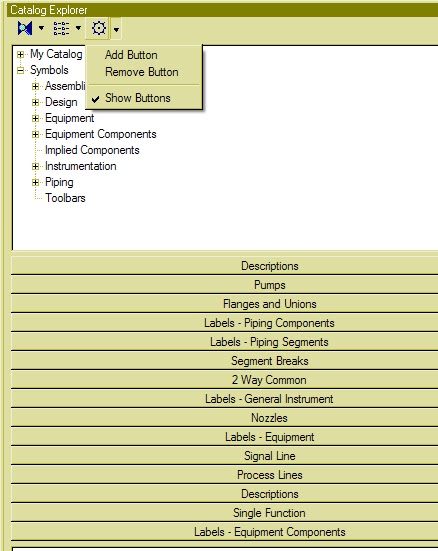
  1. Click the item you want to copy in the Catalog Explorer List view.
  2. On Catalog Explorer File menu, click Clone.  The software places a copy of the selected item in the List view.
  3. Depending on your editing privileges, you may or may not be able to clone items from certain catalogs.  See your system administrator for information regarding your current editing privileges.
  4. Cloning symbols differs from creating new symbols.  When you clone an existing symbol, the software copies all of the graphics and associated properties for the original symbol to the new, cloned symbol.  You can then modify the properties of the cloned symbol.  When you create a new symbol, you must define all of the graphics and properties for the new symbol.

SPPID_Training Lesson 6_How to use stockpile

1. Re-use OPC.

As "SPPID_Can not do and Can do" mentioned: UN-needed OPC should be deleted into stockpile.
How to re-used OPC?

At first, Open a drawing that you're going to put OPC on. then click the stockpile sign.
 Notice: pick up the OPC that can be used.OPC should always be paired. you need find two same number OPC in the stockpile. for example: 301.Off Drawing Instrument Connector. Don't pick the single number OPC.


left click the OPC sign in the stockpile. it won't work if you click the text. 


Open another drawing that you want to connect with same OPC.

2. Clean deleted OPC in the drawing, get more paired OPC to be re-used.
For example: OPC 314, open drawing 17-xxx, if the OPC in the EDE shows green color, then delete it to the stockpile, not delete to drawings. then you will find the pair OPC 314 in the stockpile. 


Monday, 28 May 2012